





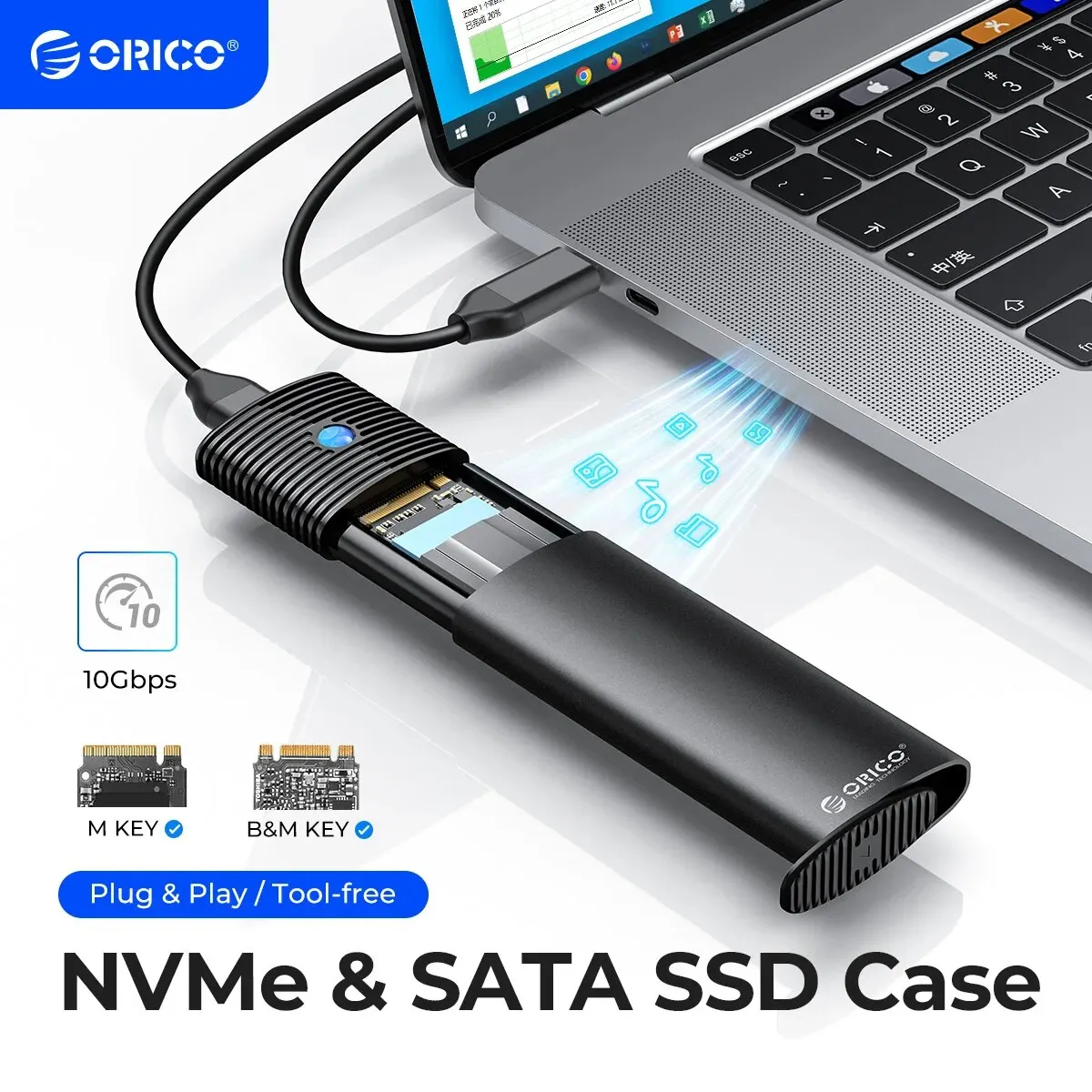


ORICO M2 NVMe SSD Enclosure 5/10Gbps PCIe SSD Box for M.2 NVMe NGFF SATA SSD Disk Tool Free M.2 SSD Case Built-in Cooling Vest
 Please note
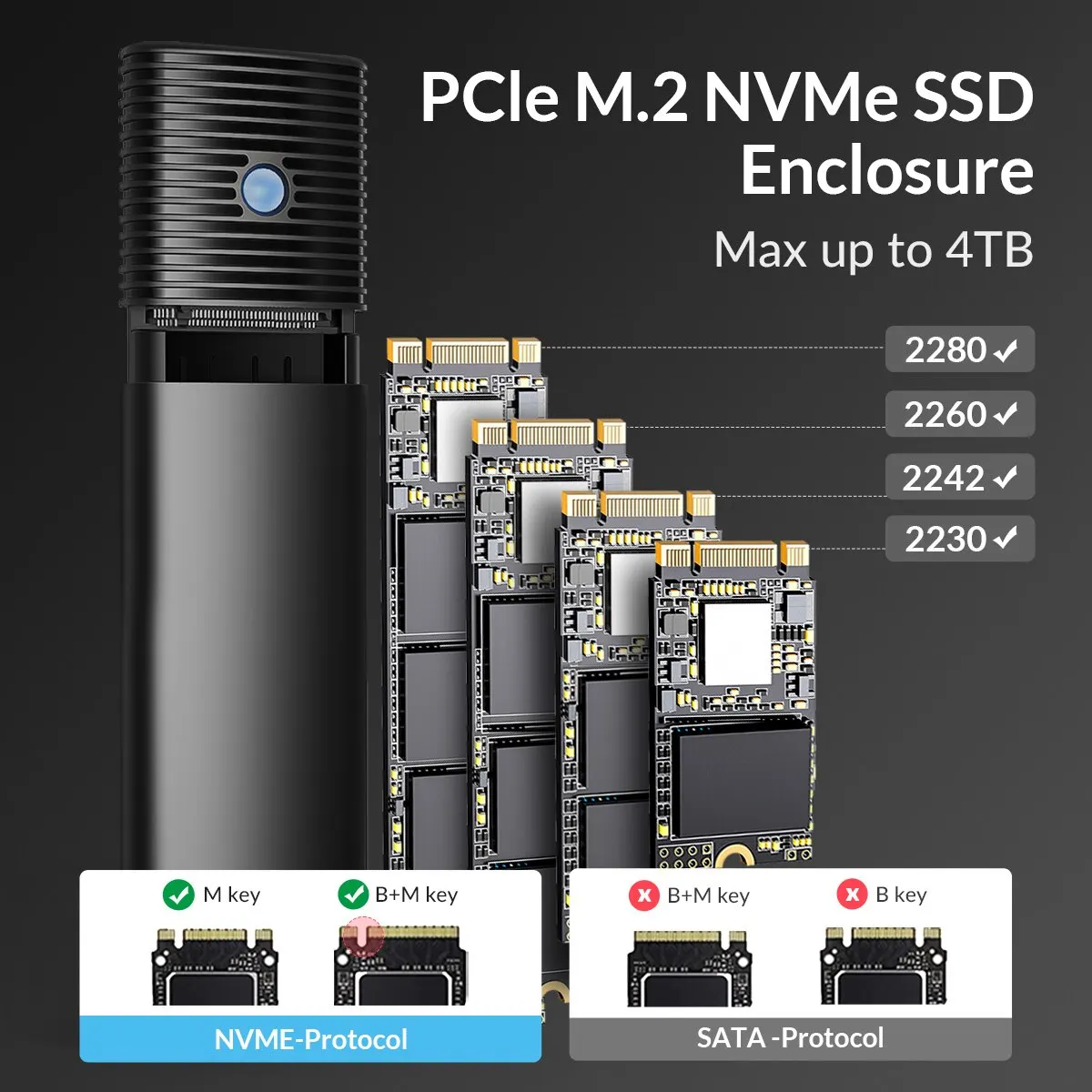
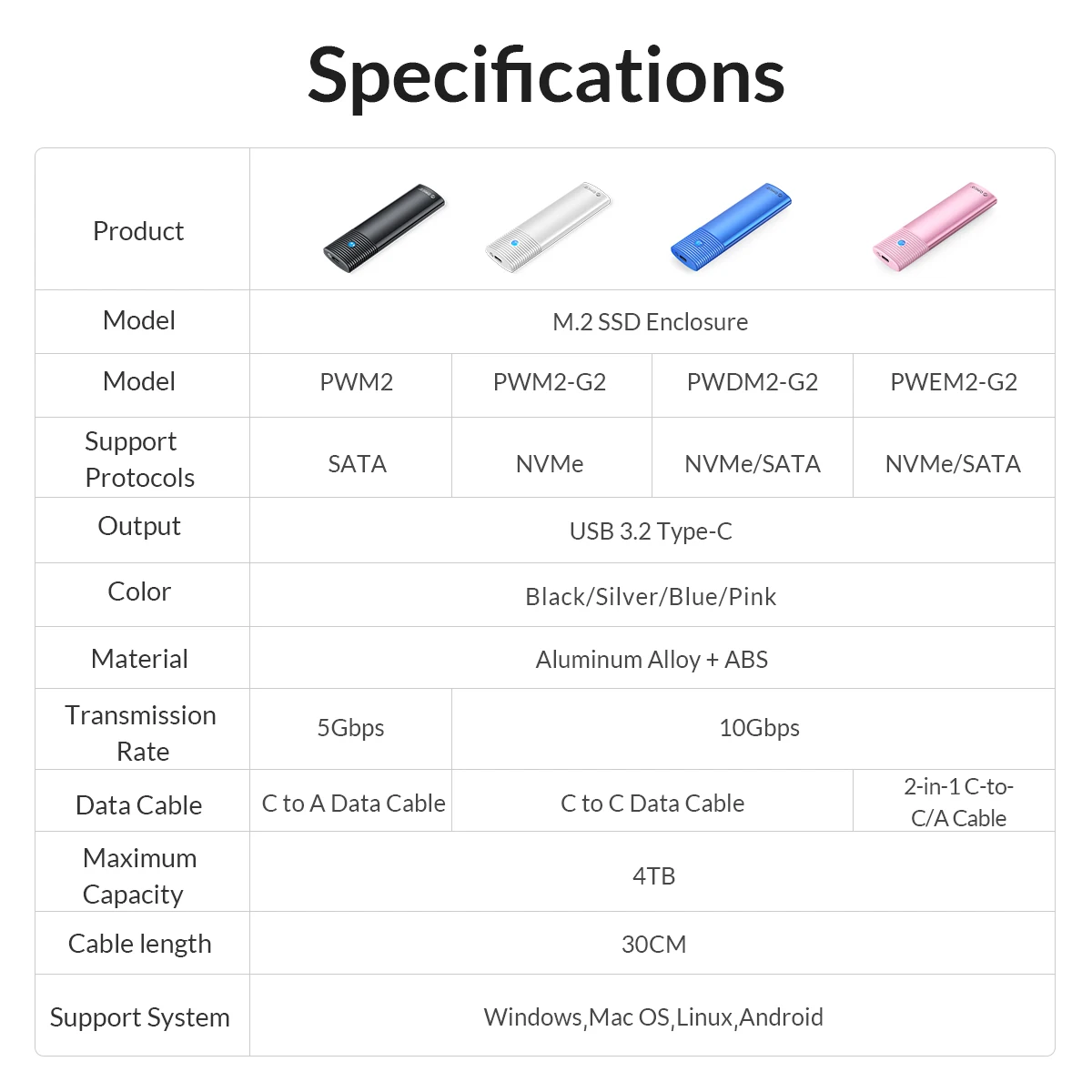
The SATA version can only use SSDs with the SATA protocol. Please select the correct version before placing an order
• NVMe SSD Support :The ORICO M2 NVMe SSD Enclosure supports NVMe SSDs, which means it can handle high-speed data transfer and reduce latency.
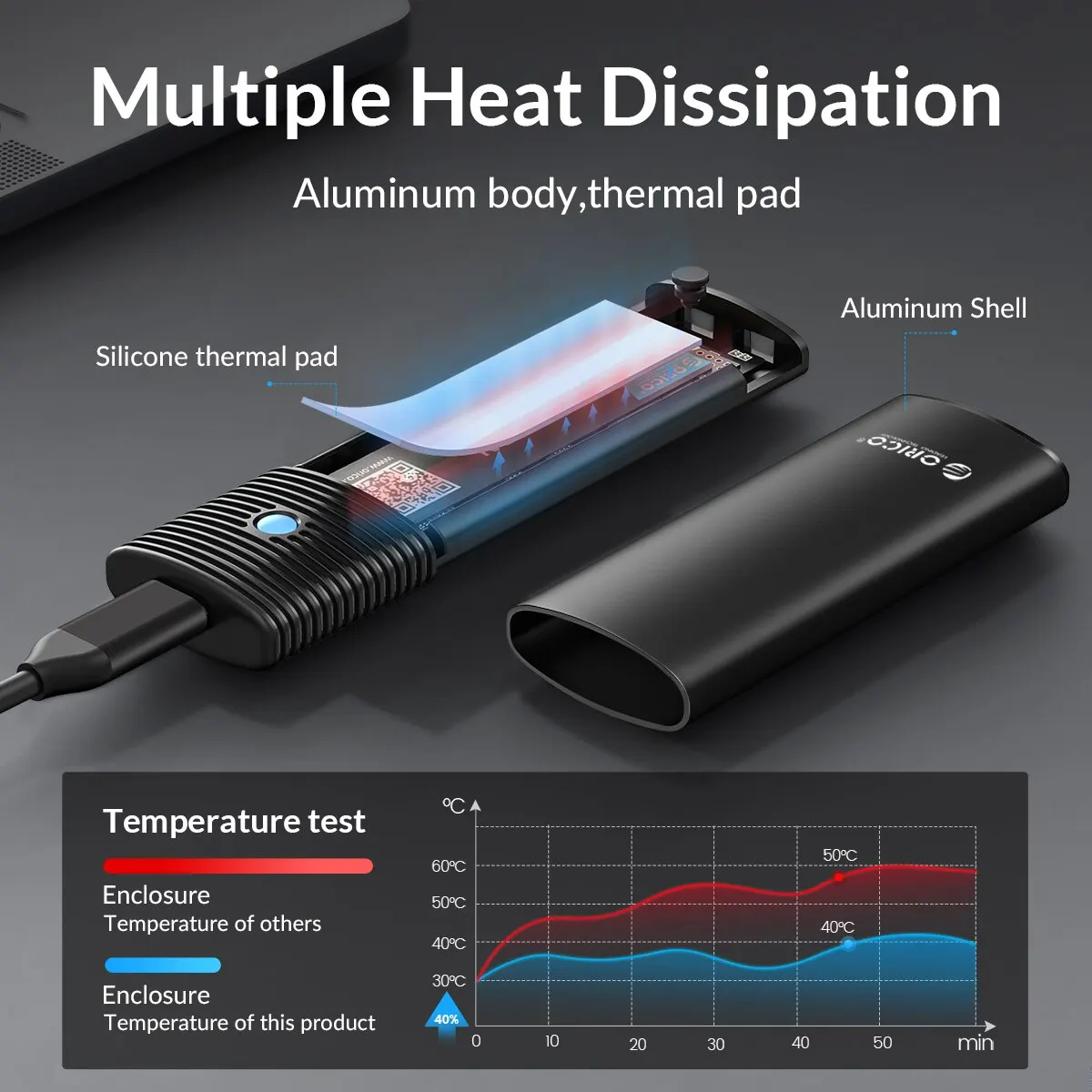
• Built-in Cooling Vest :The enclosure comes with a built-in cooling vest that helps to keep your SSD cool and prevent overheating.
• M.2 NGFF SATA SSD Disk Tool :The ORICO M2 NVMe SSD Enclosure comes with a M.2 NGFF SATA SSD Disk Tool, which allows you to easily install and remove your SSD.
• Aluminum Case Material :The enclosure is made of aluminum, which makes it durable and resistant to wear and tear.
Features unique to ORICO:
1. Heat Dissipation:Built-in Metal cooling vest + silicone thermal pad, heat dissipation is fast, and the heat dissipation efficiency is 20%-30% higher than that of ordinary ssd enclosures. PS: SATA 5Gbps Model is not included cooling vest and thermal pad.
2. With Metal Cap: Prevent the interface from being exposed and damaged, protect the interface and improve the stability of the structure.
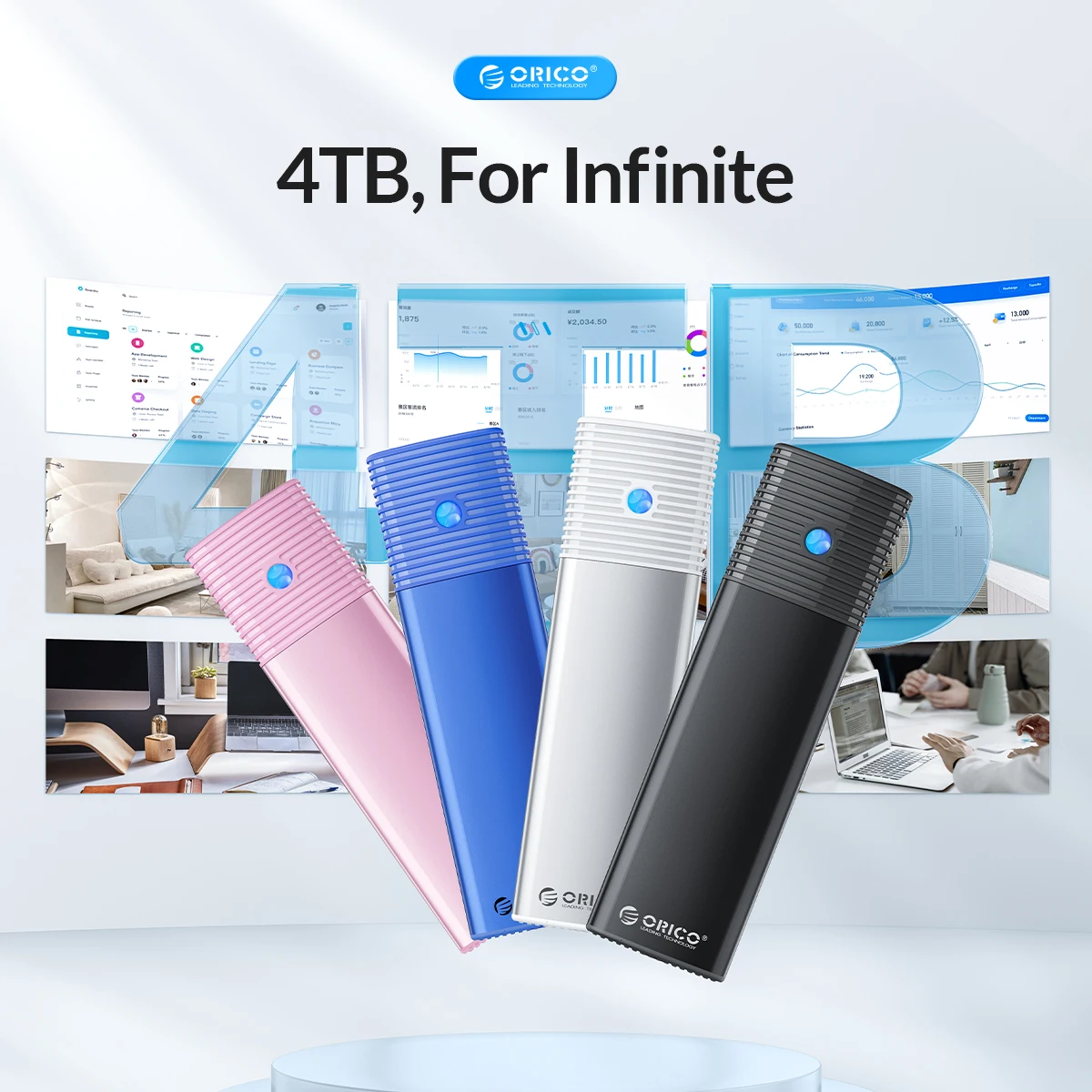
3. Capacity: Supports up to 4TB NVMe ssd.
4. Acceleration Protection: Support UASP, TRIM, SMART, 70% faster than conventional USB 3.1 read speed, 40% faster write speed, automatically identify errors, ensure file data security.
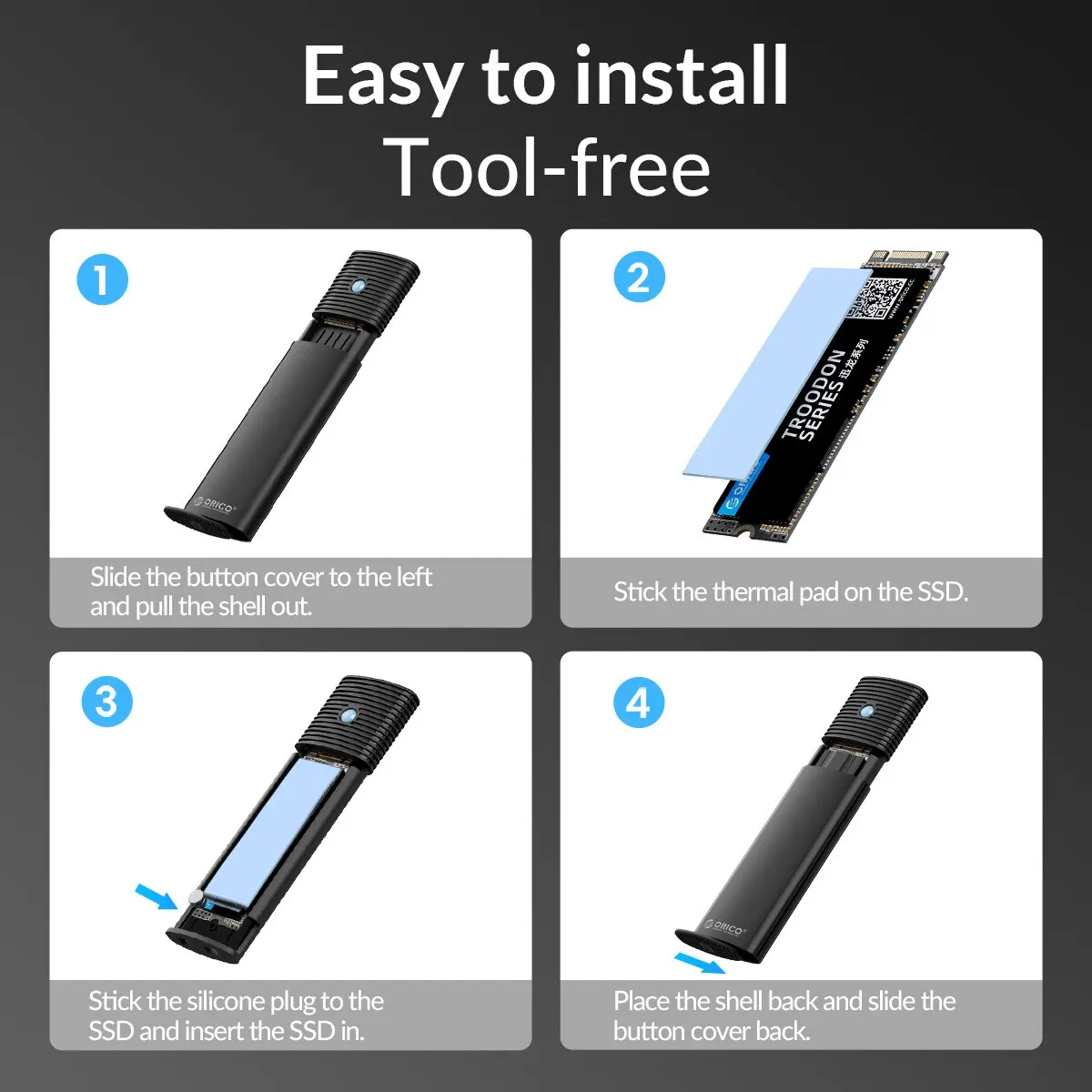
5. Tool-free: Slide installation without tools.
A. Use the silicone plug to fix the SSD. Just align the silicone plug to the ssd interface and press it lightly to install the SSD. The soft silicone plug protects the SSD fixing hole and avoids abrasion.
B. Connect the hard disk case cover to the hard disk case bayonet, and close the hard disk case with a slight push. It is easy to take out and will not wear out the SSD.
6. multi-color optional: Black / Blue / Silver / Pink four colors available.
Specification:
Item:Orico M2 SSD Case
Compatible SSD Size2230/2242/2260/2280mm
Size124*35*14mm
Transmission Speed10Gbps(NVMe)/5Gbps(SATA)
Feature 1Tool Free Installation
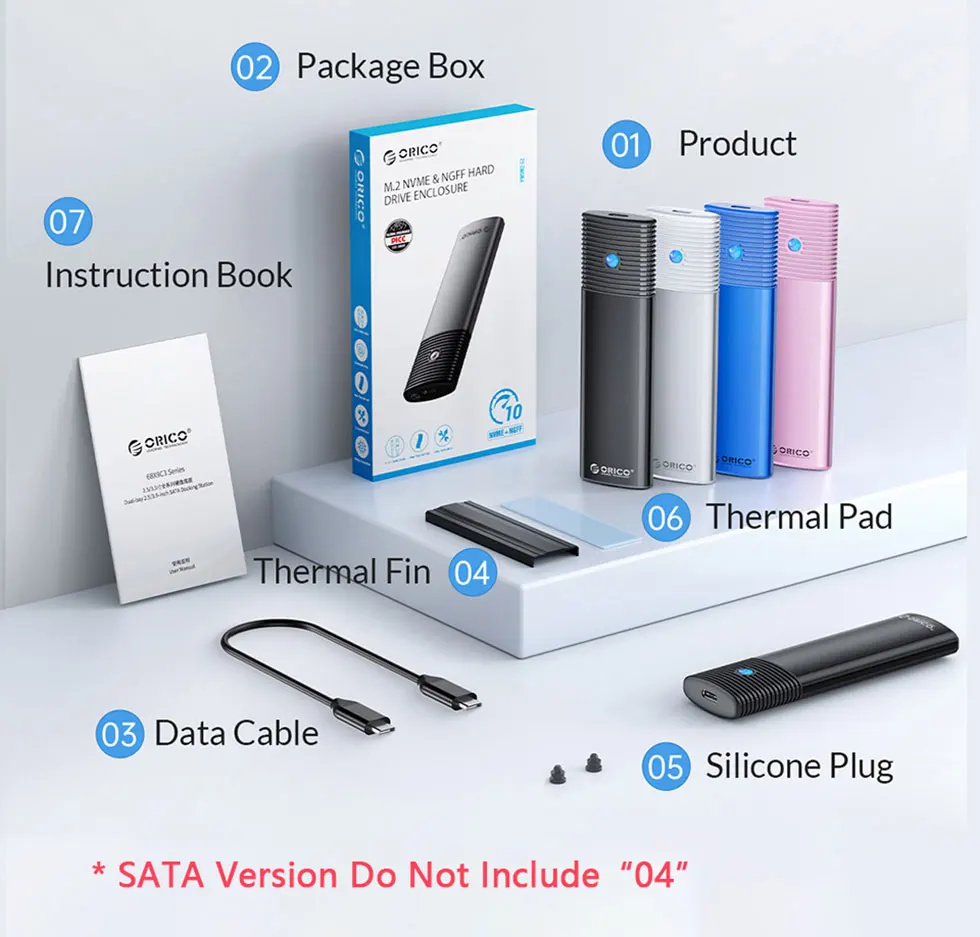
Package Included:
1. M.2 SSD Enclosure*1
2. Package Box
3. Cable*1
4. Cooling Vest*1(SATA 5Gbps Model is not included)
5. Thermal Pad*1(SATA 5Gbps Model is not included)
6. Silicone Screw * 2
7. Instruction Book
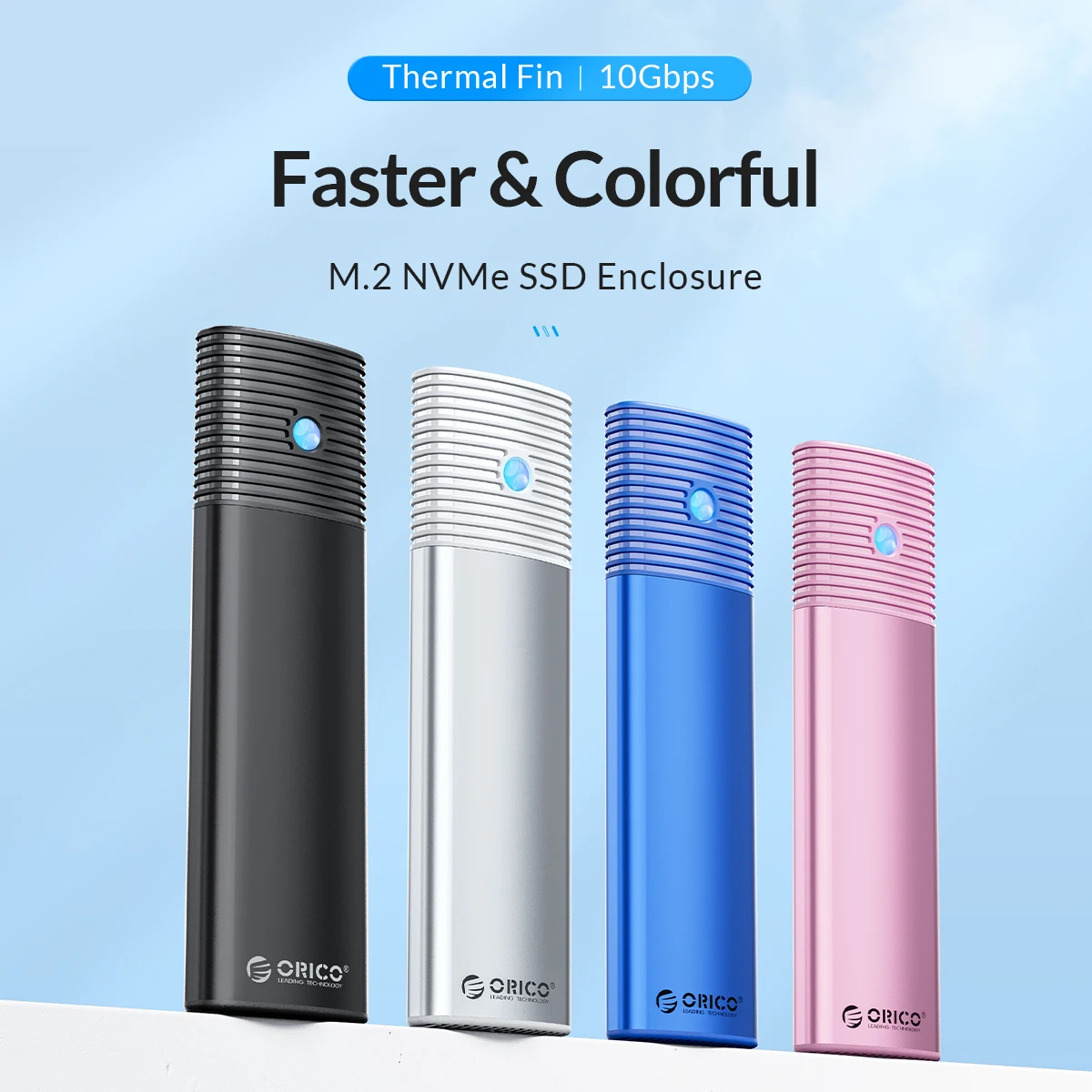


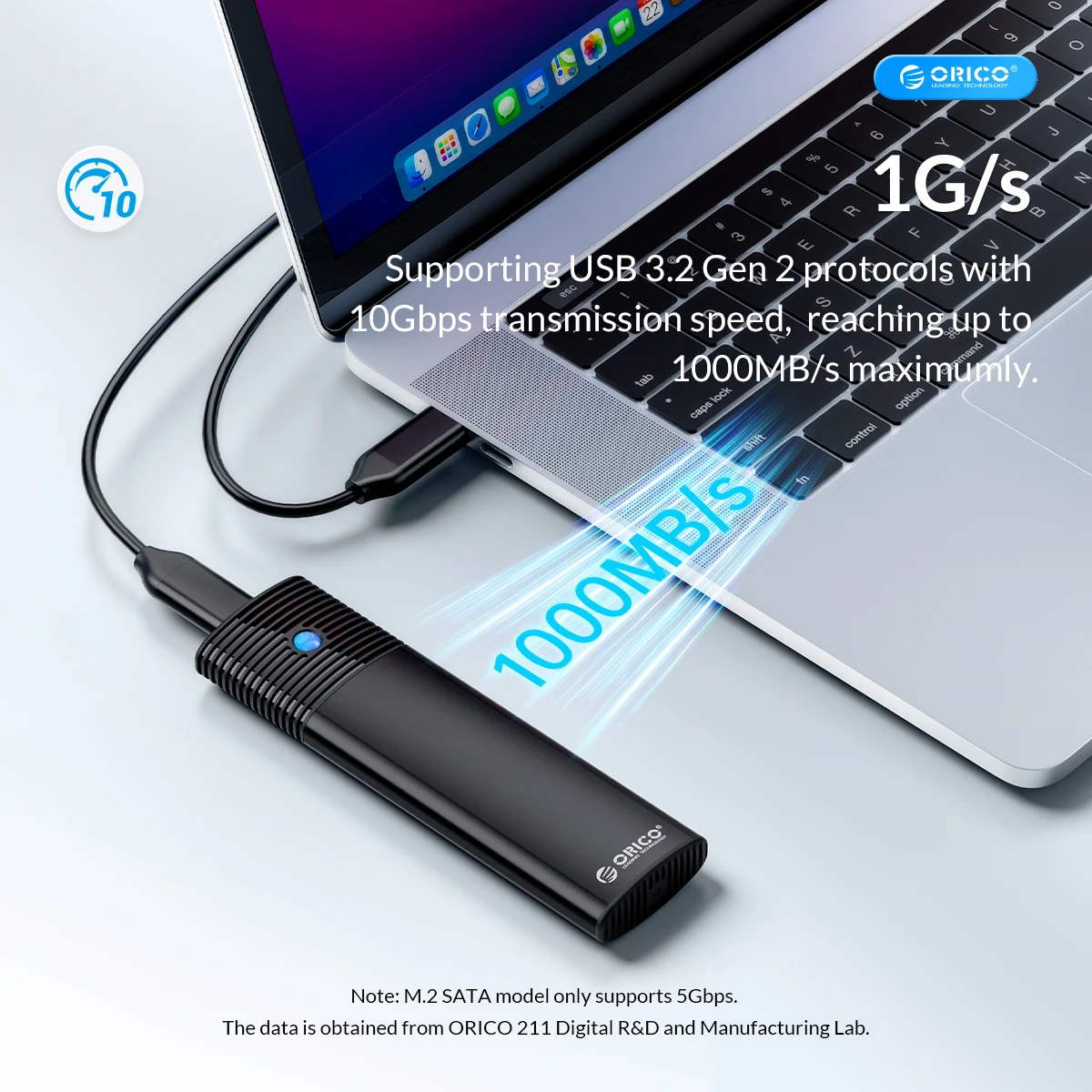
USB3.2 Super Speed
When using NVMe SSD, the transmission rate is 10Gbps and the read and write speed is 1000MB/s. When using M.2 SATA SSD, the transmission rate is 5Gbps, and the reading and writing speed is 450MB/s.
Improve Heat Dissipation
Built-in Metal cooling vest, Silicone thermal pad and aluminum body, heat dissipation is fast. (SATA 5Gbps Model is not included cooling vest).

Acceleration Protection
Support UASP, TRIM, SMART, 70% faster than conventional USB 3.1 read speed, 40% faster write speed, automatically identify errors, ensure file data security.


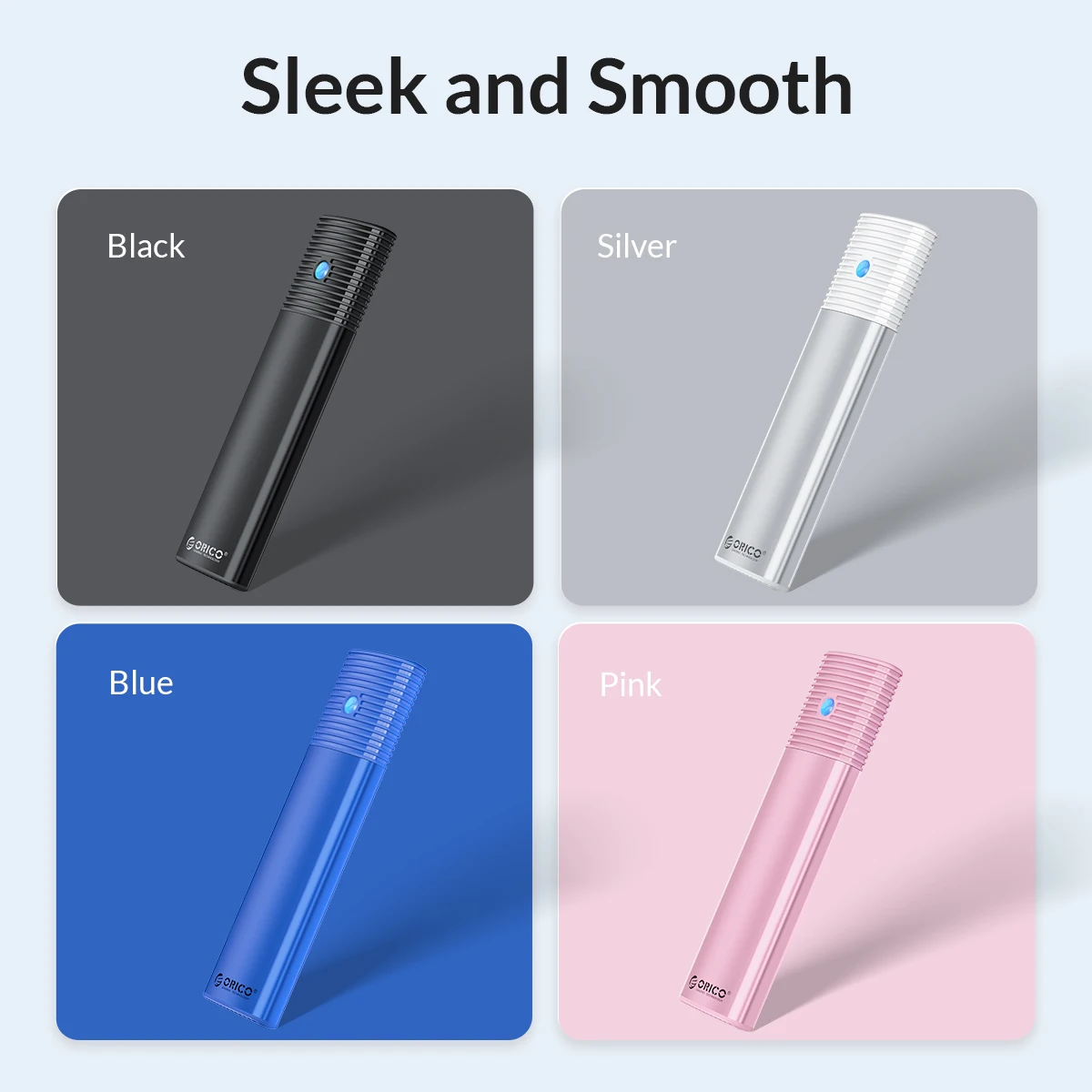
Supports up to 4TB Multi-color optional

Tool-free,Easy to assemble
Use a little rubber plug, No tools required,Slide the endcap to unlock.



Notics
1.M.2 SSD is NOT included.
2.NVMe model case is not compatible with NGFF SATA M.2 SSD, vice versa.
3.For new unused SSD, it's necessary to make a partition at first, otherwise it can not be recognized.
4.It is normal that the aluminum case heats up when using, and it doesn't affect normal use.
Q&A
Q:After installing SSD, the computer is not read by the enclosure?
A:1.Confirm
whether the connection between the data cable and the product and
equipment is in good contact, and whether the SSD is installed
correctly.
2.The new SSD needs to be partitioned and formatted for the first use, otherwise the device cannot recognize the SSD.
3.Confirm whether the system supports large-capacity hard drives, WinXP 32-bit systems do not support hard drives above 2T.
4.Confirm whether the hard disk format is consistent with the SSD format supported by the system. If not, please format the SSD into a hard disk format supported by the system.
Related products





Frequently Bought Together
No frequently bought products found!
Products from this Seller
View All

Demo Auction






Frosted Belt Watch

Business Quartz Sports Leisure Belt Men's Watch




Trusted & Reliable Global B2B & B2C Marketplace

Subscribe to our newsletter for regular updates about Offers, Coupons & more





Share with Friends
Trading is more effective when you share products with friends!Share you link
Share to