




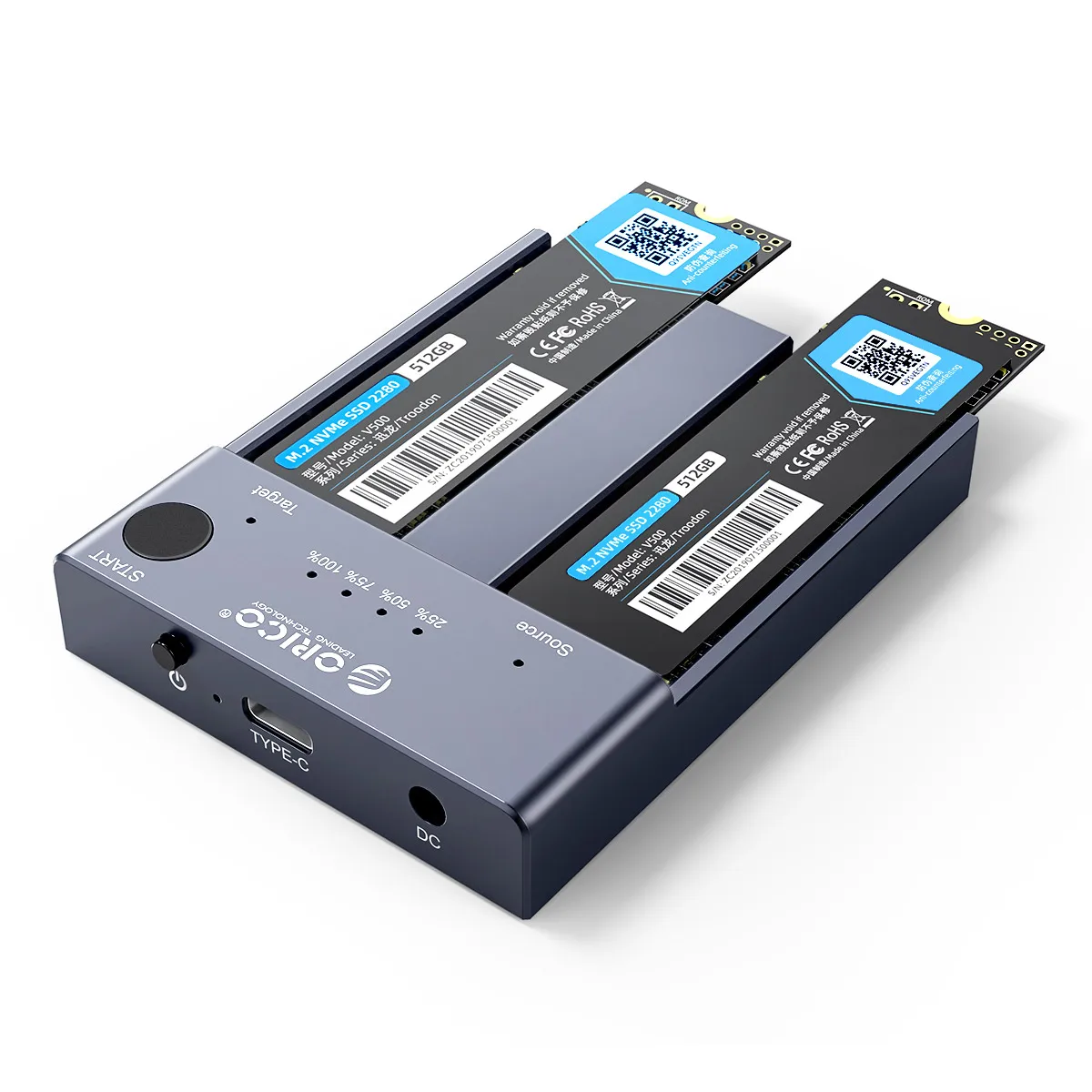
ORICO M.2 NVMe Cloner Dual Bay NVMe USB C to NVMe SSD Enclosure Aluminum M.2 Duplicator Offline Clone for PCIe M-Key SSDs 8TB

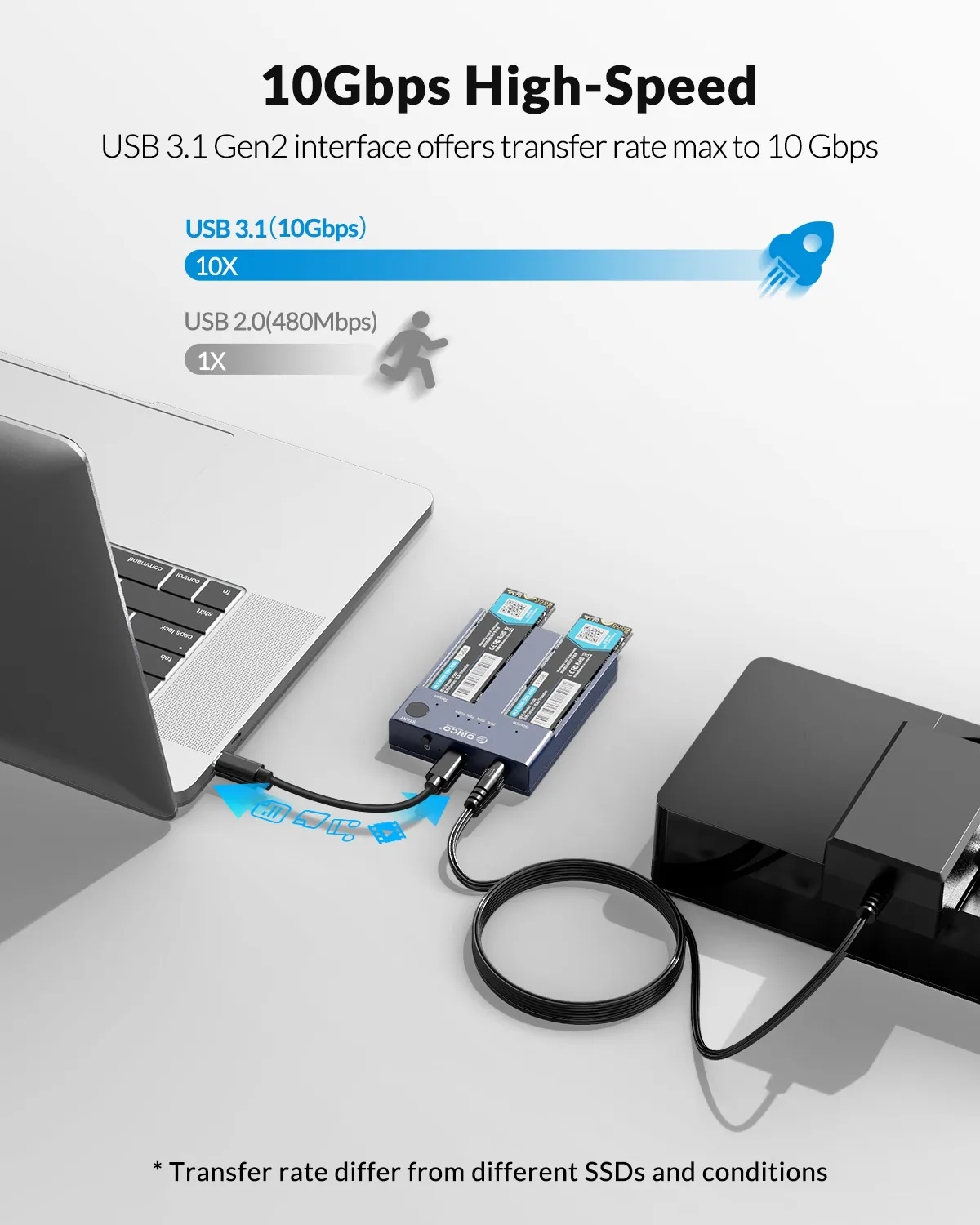
ORICO external NVMe ssd docking station adopts USB 3.2 Gen 2 standard(USB C port), which supports an amazing data transmission rate up to 10Gbps.
Support one-key offline clone can directly transfer the data from Disk 1 to Disk 2 without going through the computer.Max Support 2*4TB SSDs.
ORICO M.2 ssd enclosure constructed with aluminum alloy which is better for absorbed heat dissipation.
Support Plug and Play and Hot-Swapping. Easy installation and no driver required.
Operating system compatibility: Windows, mac OS, and Linux.
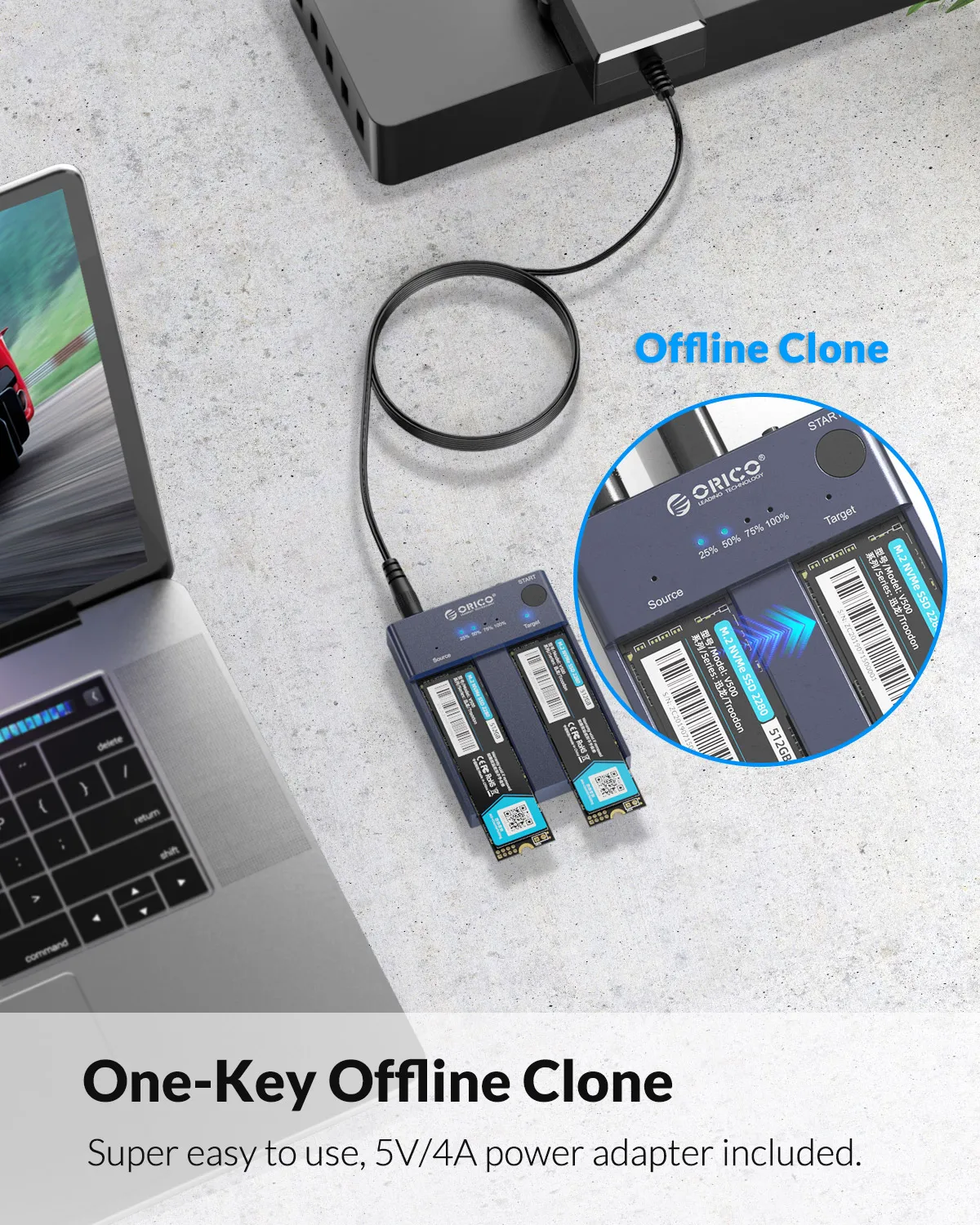
One-key Offline Clone
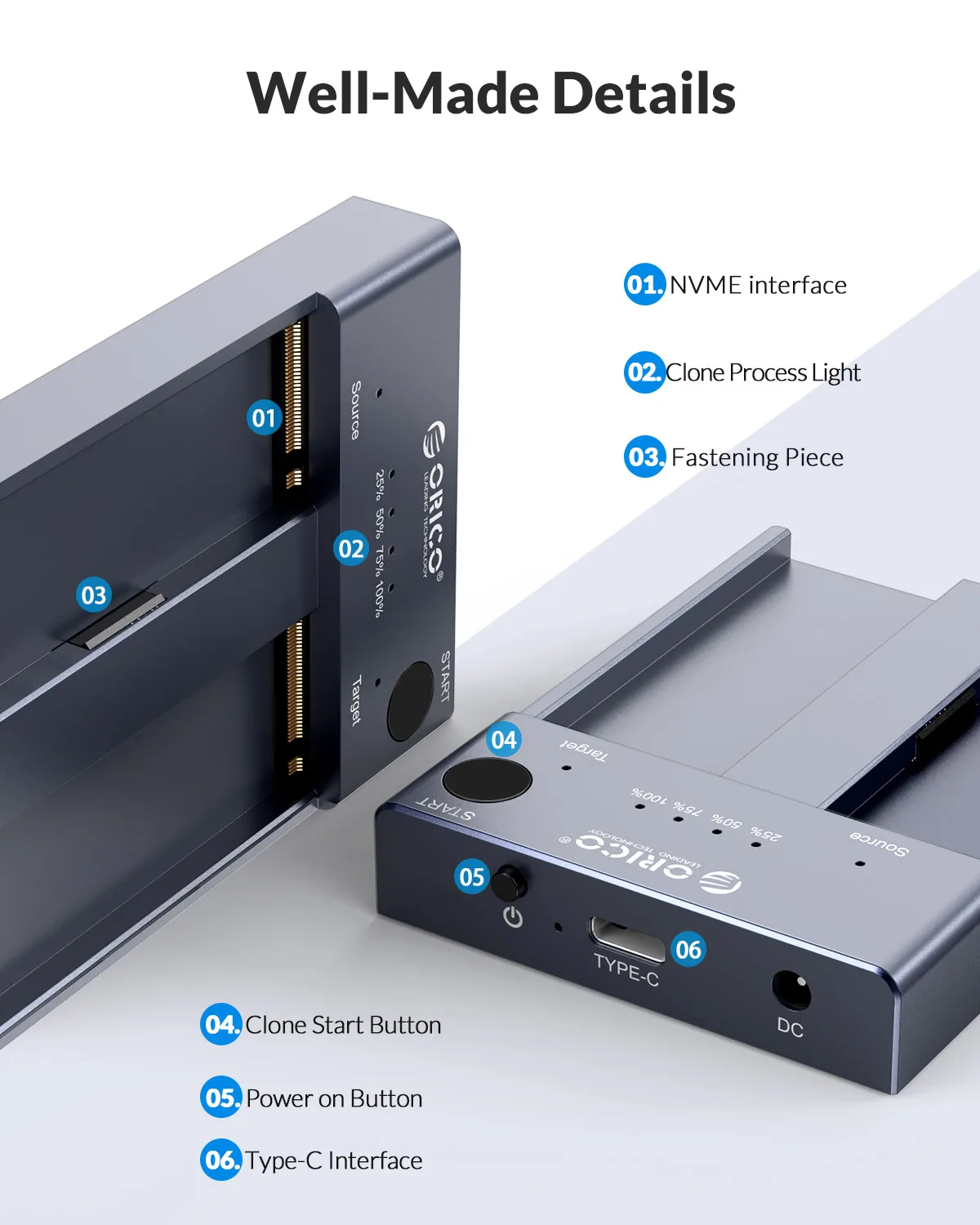
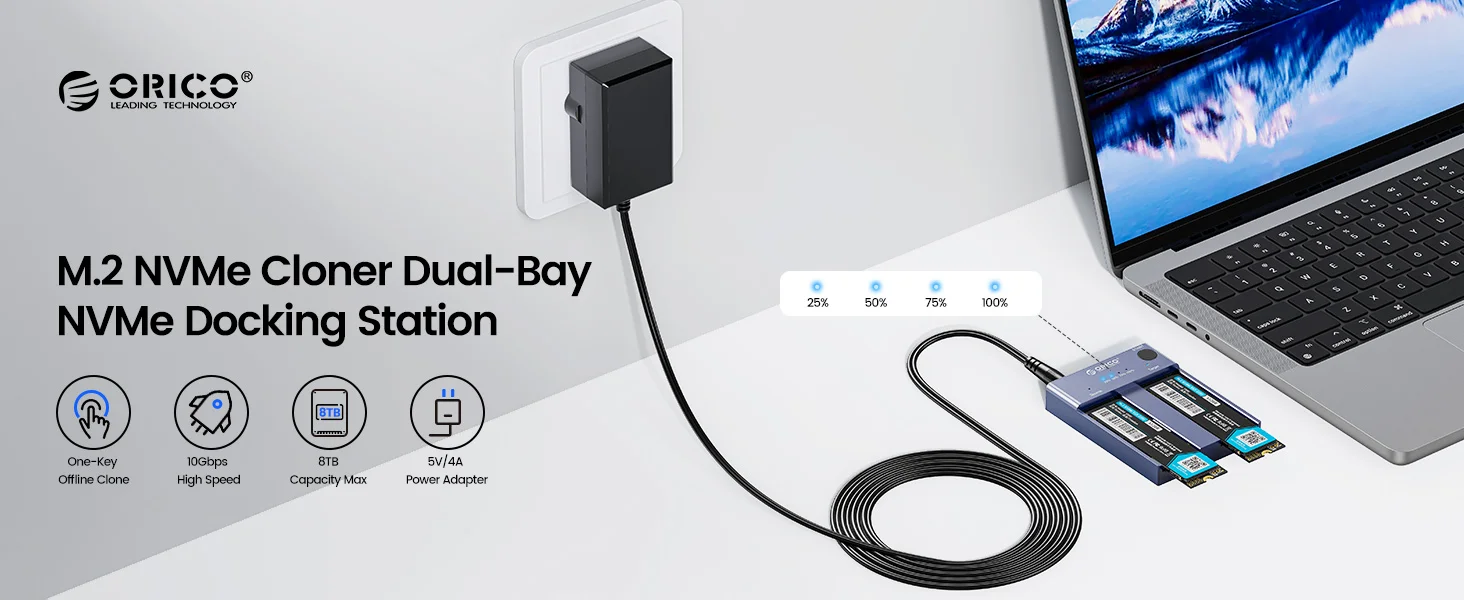
This dual-slot m.2 NVMe duplicator can not only be used as an external NVME SSD to expand your storage capacity, but also can be used for offline backup. No need to connect to a PC, just plug in and press the start button then you can back up your important data. LED indicator can monitor the SSDs' clone progress at any time. Note: please back up the data on the target disk before cloning to avoid losing important data.

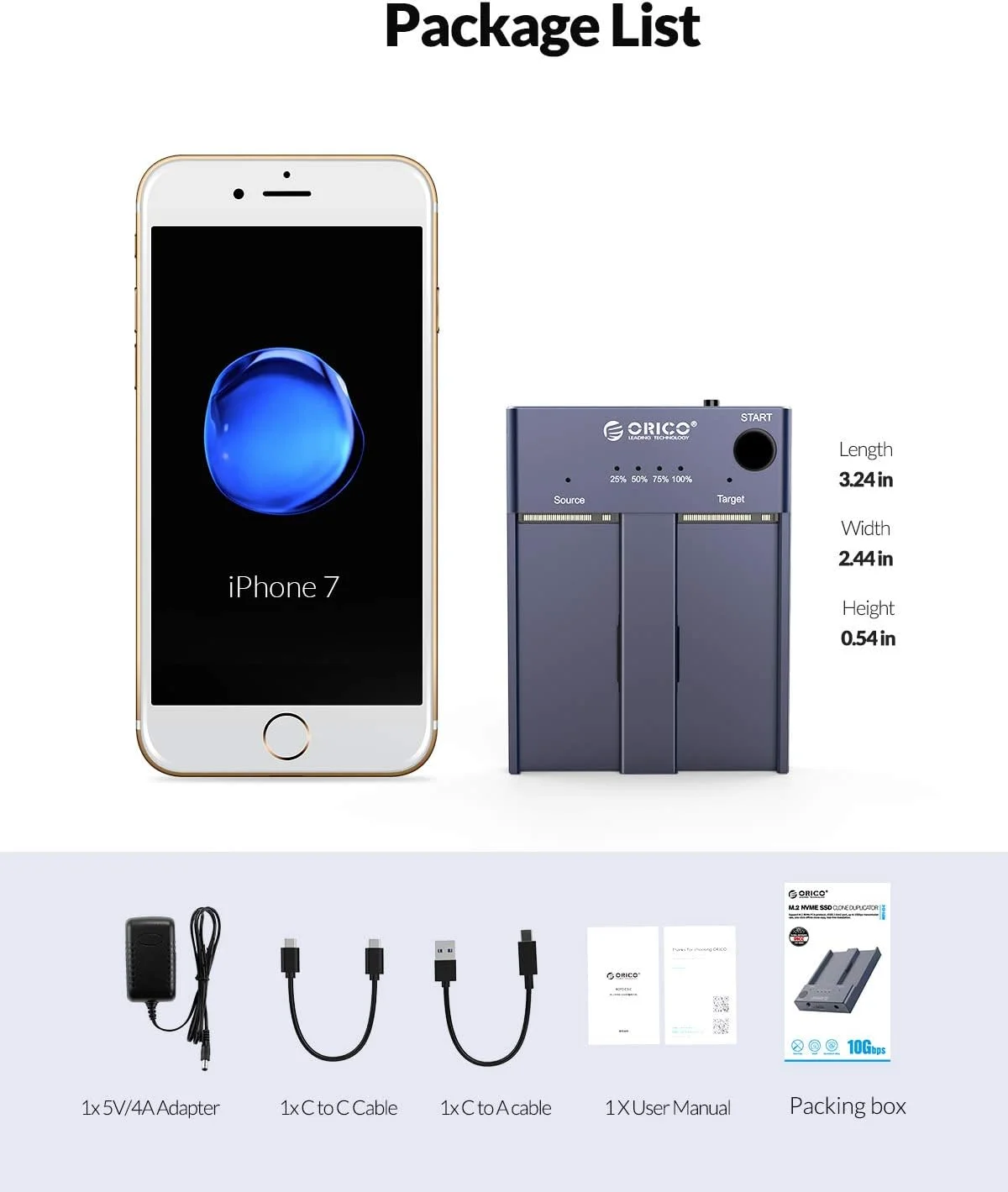
5V/4A Power Adapter
5V/4A external power ensures its working stable and security.n
10Gbps High Speed
ORICO USB 3.2 Gen2 m.2 cloner docking station is equipped with C to C cable and C to A cable, giving you more choices. The fastest transmission speed can reach about 1000MB/S with C to C cable and about 500MB/S with C to A cable. At the same time, it supports UASP acceleration protocol which can make your NVME SSDs run more quickly and stably.

Max Support 2*4TB SSDs
When ORICO M.2 dual NVMe duplicator connected to a computer, it can recognize two SSDs at the same time, supporting a single SSD max up to 4TB.

Efficient Heat Dissipation
Aluminum alloy keeps it tough and solid, and greatly improved hard drive durability by quickly dissipate the heat.

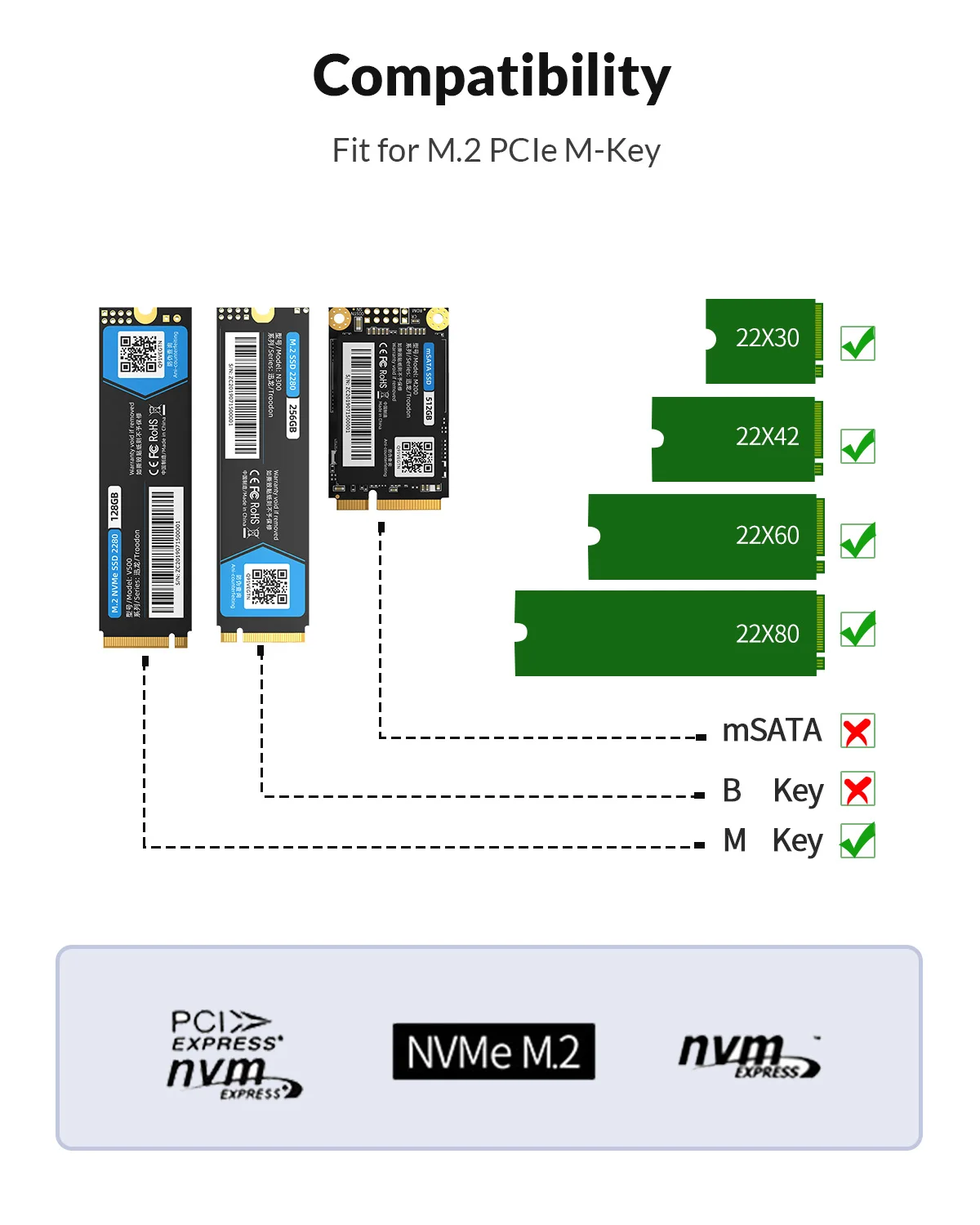
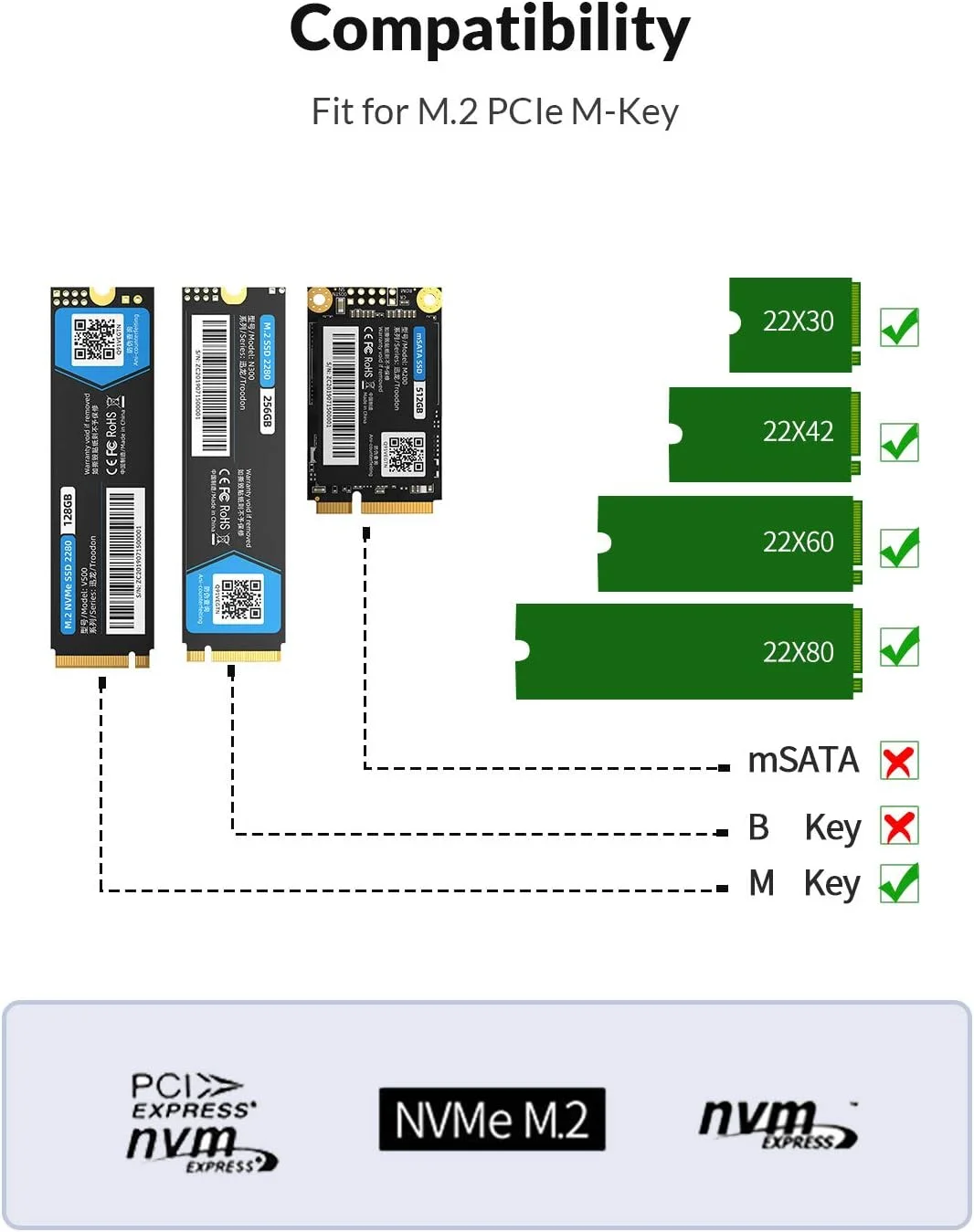
Fit for M.2 PCle M-Key
Specially designed for M Key M.2 NVME PCIe SSD of 2242/ 2260/ 2280/2230 Sizes.
Back up Data,Suitable for Gaming,Clip Video
For laptop,PC,PS4.TV and so on.
LED Indicator,10Min Auto Sleep
LED indicator light to clearly understand the working status.the anti-slip pad makes you more stable during use.


Easy to assemble
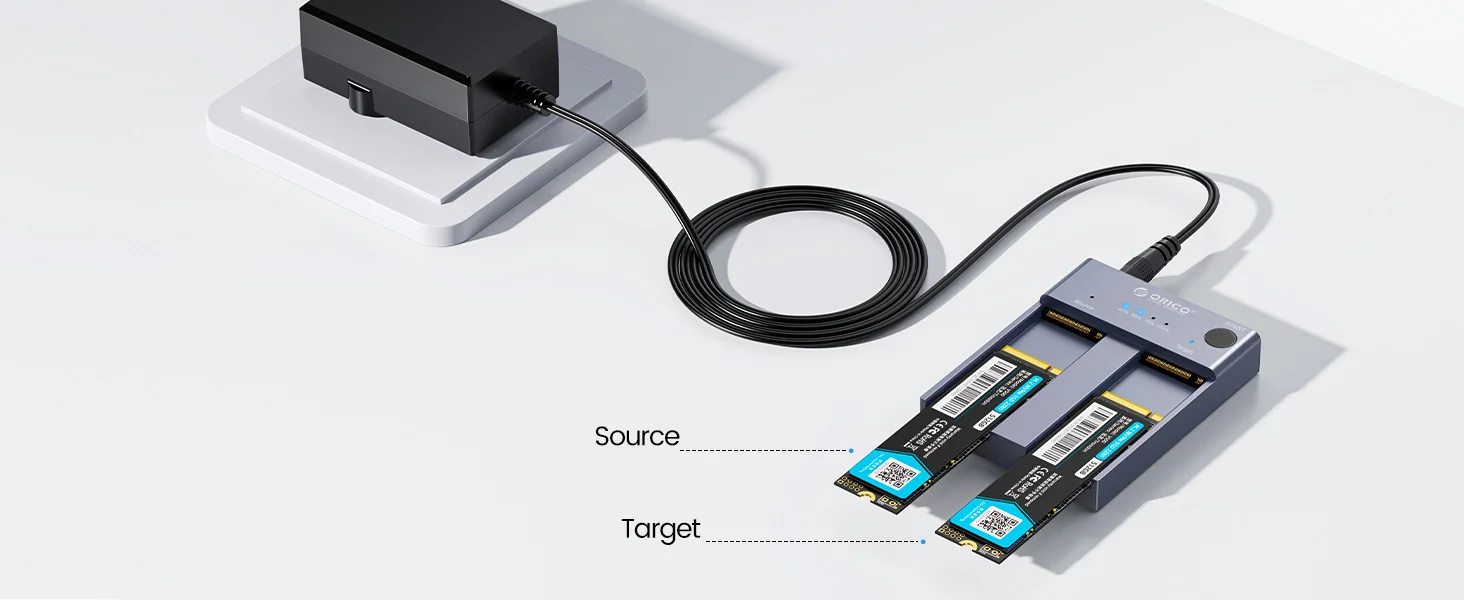
1.Insert source disk into the SOURCE bay, then insert target disk into the TARGET bay.(Note: Target SSD Capacity>Source SSD Capacity.)
2.Connect the power adapter to the tool-free dual NVMe dock.
Hold the clone button for 10-15 seconds until LED indicator begins to flash.
3.The indicator light will show the copy progress (25% -50% -75% -100%).When the clone is completed, the 4 LED lights will always be on.

Q: How to use
A: Do not connect your computer with a USB cable during the cloning process.
If there are bad sectors in the SSD, cloning may stop. Please scan the SSD once before cloning to make sure there are no bad sectors.
Q: What do I need to pay attention to before copying?
A: 1. Please backup the data on the target disk before copying to avoid losing important data.
2. Make sure the computer can recognize both SSDs after inserting our nvme hard drive caddy. Otherwise it will not be possible to clone.
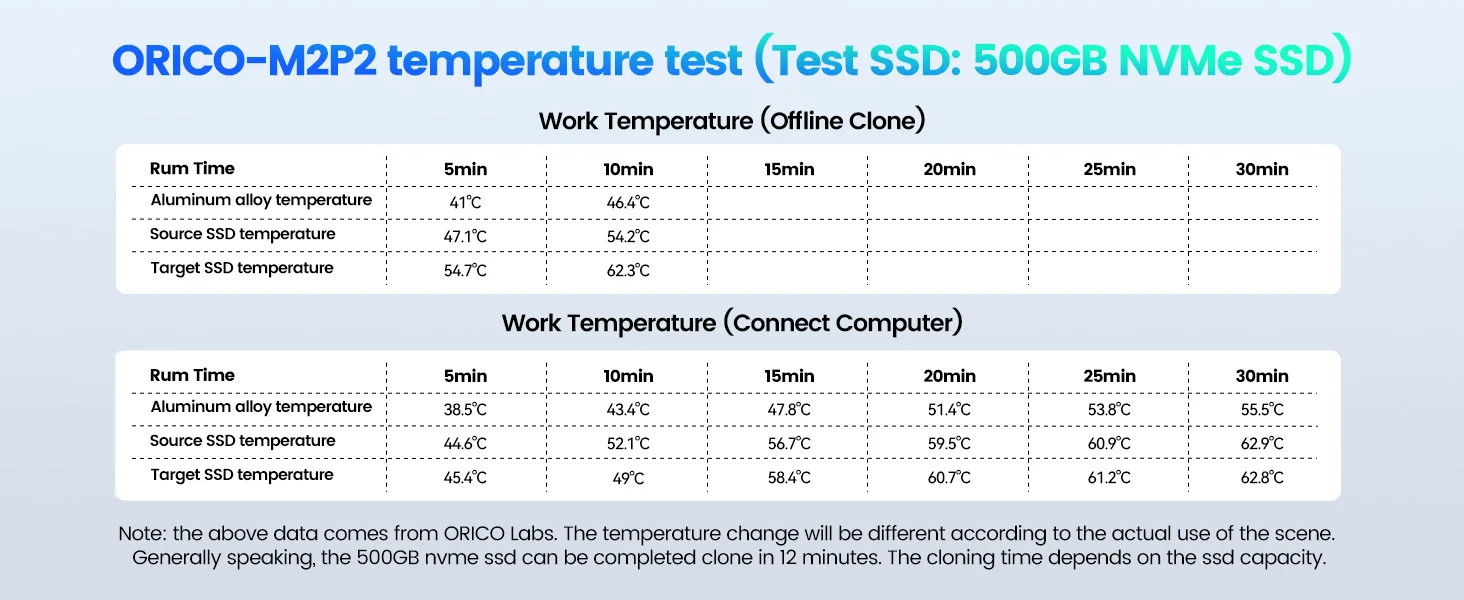
3. It is normal for the aluminum enclosure to get hot because the high-speed NVMe M.2 hard drive generates a lot of heat when it is working. Do not touch the SSD during operation. Please refer to the temperature variation chart above.
4. For brand new SSDs, the drive may not be found because brand new SSDs need to be formatted before first use. It is also necessary to partition the SSD.
Q: Why am I transferring at low speed
A: To get a 10Gbps data transfer rate, the USB 3.2 interface on your computer must be USB 3.2 Gen 2.
Caution:
After cloning is complete, the target disk will enter offline mode, where it will not be recognized when you connect the computer with a USB cable. Therefore, you need to select online mode manually: right-click (Computer/My Computer/This Computer) and select Manage, then select Disk Management in the pop-up dialog, you will see the disk in offline mode, and then right-click it to select online mode.
Related products





Frequently Bought Together
No frequently bought products found!
Products from this Seller
View All

Demo Auction






Frosted Belt Watch

Business Quartz Sports Leisure Belt Men's Watch



Trusted & Reliable Global B2B & B2C Marketplace

Subscribe to our newsletter for regular updates about Offers, Coupons & more





Share with Friends
Trading is more effective when you share products with friends!Share you link
Share to